 Burn
Get Burn
Burn
Get Burn
Burn
Get Burn
Burn
Get Burn
HOME / HOW BURN WORKS
There is no food diary, no barcode scanner, and no daily calculation. You start the timer when your last meal ends and Burn tracks the fast from there, naming each stage as you reach it.
Here is the whole loop, from the tap that starts a fast to the report that reads your month back to you.
Download free on the App Store01
One tap when your last meal ends, or set the time it actually finished.
02
Nine of them, from Fed State onward, with a buzz on your wrist as you cross.
03
Six tools one tap away, for the twenty minutes that decide a fast.
04
Insights, Journal, and a Morning Brief written from your own numbers.
The loop
Two of them take a single tap. The other two happen while you get on with your day.
01 START
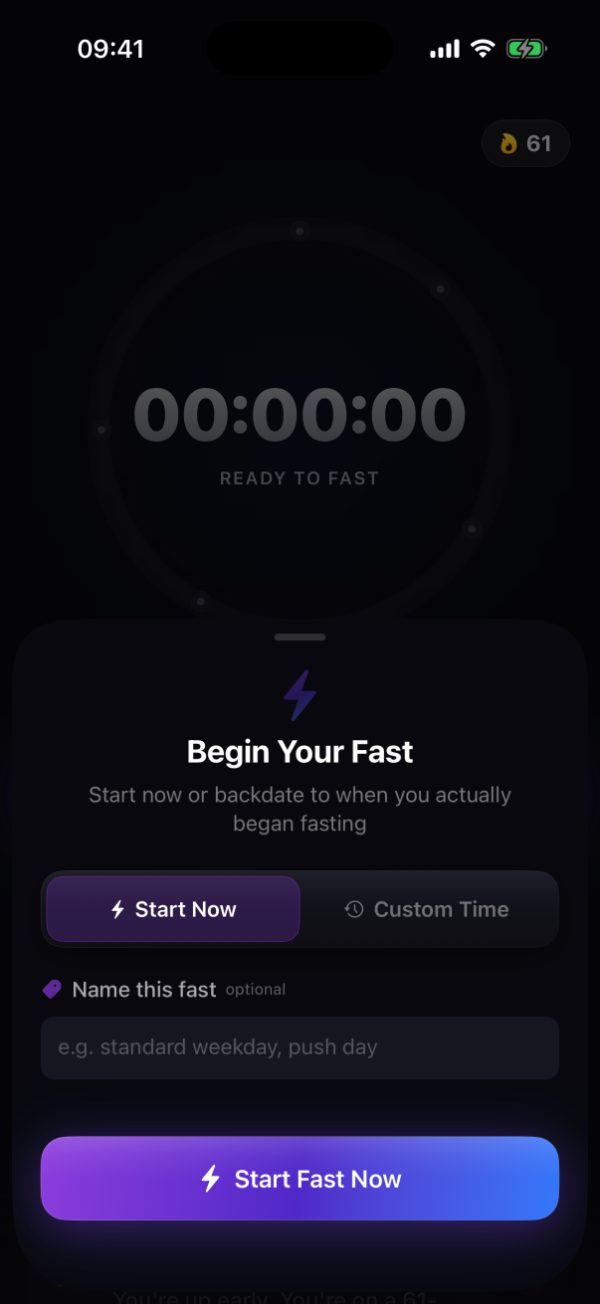
Start now, or backdate it to when you actually stopped. Forgot last night? Set the real time and your record stays accurate.
Name the fast if you want to, so patterns like "push day" show up later in your history.
02 DURING
The ring counts up and a progress strip shows the stage you are in against the ones ahead. Cross a boundary and Burn tells you, on your phone or your wrist.
Log energy, water, training and how your gut feels in a couple of taps. All optional, and all useful later.

03 FINISH
End the fast and Burn gives you the total, the deepest stage you reached, and how much effort it took. Then a note on how to break it well.
A short reflection afterwards, if you want to record how it felt.

04 AFTER
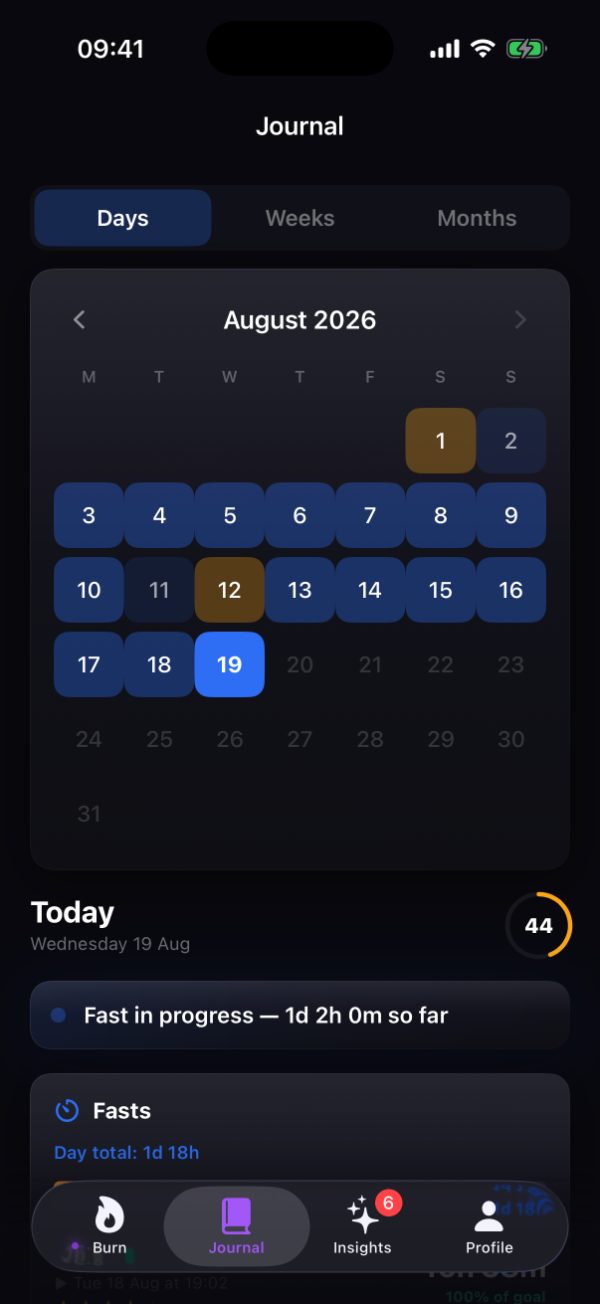
Every fast joins your Journal by day, week and month, alongside your check-ins, weight and anything you have shared from Apple Health.
Which is where the patterns start coming from.
The app, in four tabs
You will spend most of your time on the first one.
WHAT IS HAPPENING NOW
The live timer, your stage, today's check-ins, and the support tools when you need them.
WHAT YOU HAVE DONE
Fasts, notes, water, electrolytes, measurements, check-ins and Apple Health data, by day, week or month.
WHAT IT MEANS
Morning Brief, your patterns, headline stats, averages, personal records and challenges.
EVERYTHING ELSE
Fasting settings, notifications, Apple Health, subscription, and your data export.
The rhythm
DURING A FAST
Stage crossings, a buzz on your wrist, the stage detail if you want to read it, and the support tools when the hunger lands.
EVERY DAY
Morning Brief when you wake, start the fast, quick check-ins, your live Body Score, then the finish and a reflection.
EVERY WEEK
A weekly summary, new patterns as they emerge, and progress on any challenge you have running.
EVERY MONTH
A monthly review, milestones and records, program completion, and a recommendation for what to do next.
Patterns need history to work from, so Burn starts surfacing them once you have 14 completed fasts behind you.


One number: how long it has been since you last ate. Everything else on the screen is built on top of that, plus whatever you choose to add.
Connect Apple Health and sleep, steps and heart rate join in as context. Leave it disconnected and the fasting side works exactly the same.
Burn names the stage that your elapsed time falls into. It does not measure ketones or anything else inside a cell, and it says so on every stage screen.
Set it up tonight after dinner and you will wake up with your first fast most of the way done.
Download free on the App StoreiPhone, iPad, and Apple Watch. Requires iOS 18 or watchOS 11.