HOME / FEATURES / NOTIFICATIONS
Six standard alerts and four Smart Notifications, covering the fast, the week and the days you drift off pattern.
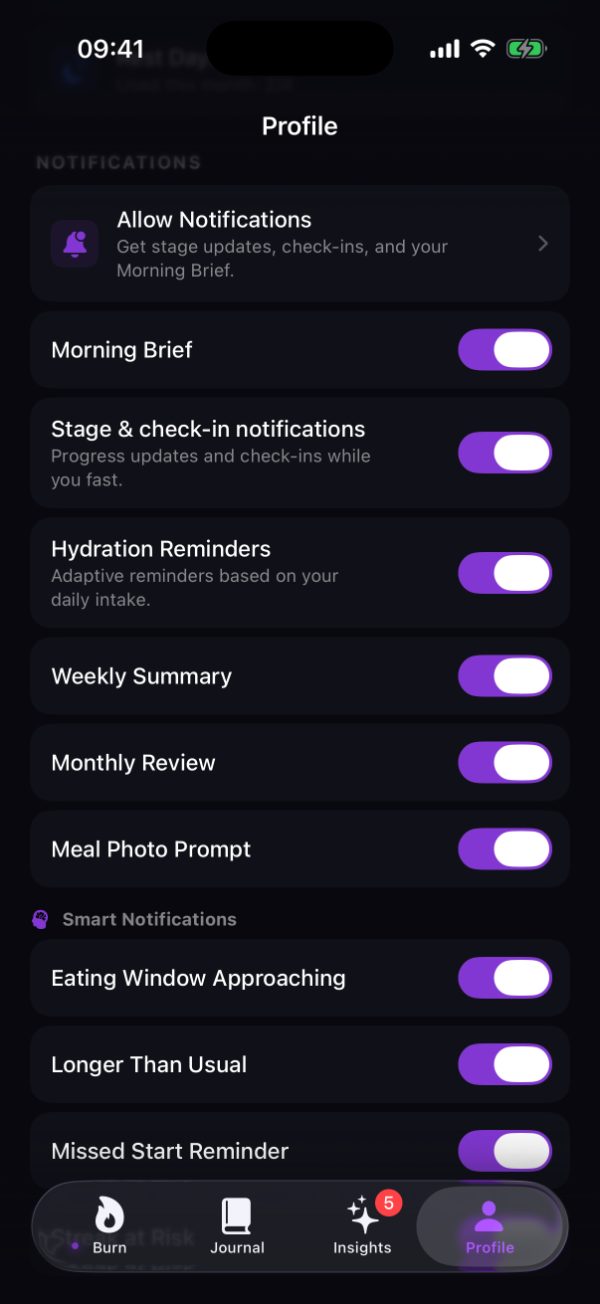
The standard six
Your night and your recent fasts assembled into one screen, before you decide how long to go today.
Progress updates and check-ins while you fast, so you find out you have crossed into a new stage without opening the app.
Adaptive reminders based on your daily intake.
A look back at the week just finished.
The same look back over a month.
A prompt to photograph a meal, for the days you want the record to hold more than a duration.
An Allow Notifications row sits above all of them, and nothing reaches you until you grant it.
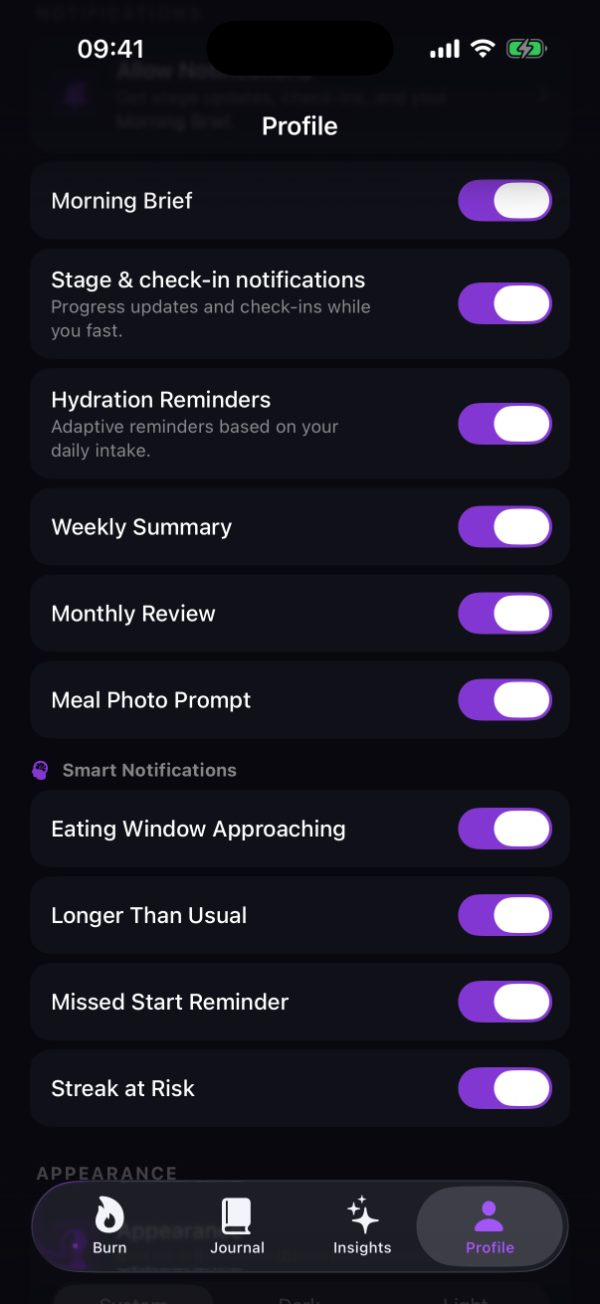
Smart Notifications
These four are grouped separately in Burn because they fire in response to your own fasting history rather than at a fixed time.
Your window is close, which is worth knowing before you are standing in front of the fridge deciding what to make.
This fast has run past your normal length. Useful either way: a signal you are doing well, or a prompt to check whether you meant to.
You have not started a fast when you usually would, which is easy to miss on a day that starts badly.
Your run is about to break. Burn gives you two Streak Freezes a month for the days life gets in the way.
How they behave
Notifications are a convenience, not a requirement. Decline permission entirely and the timer, the stages, the Journal and your history all behave exactly the same; you just check them yourself.
A stage notification reports that the clock has reached a boundary Burn names. It is not a measurement of your body. Burn maps elapsed time to named stages and does not measure ketosis, autophagy, or metabolic state.
Ten switches, set once, and quiet hours respected from then on.
Download free on the App StoreiPhone, iPad, and Apple Watch. Requires iOS 18 or watchOS 11.